Step 1 — Get Your API Key
-
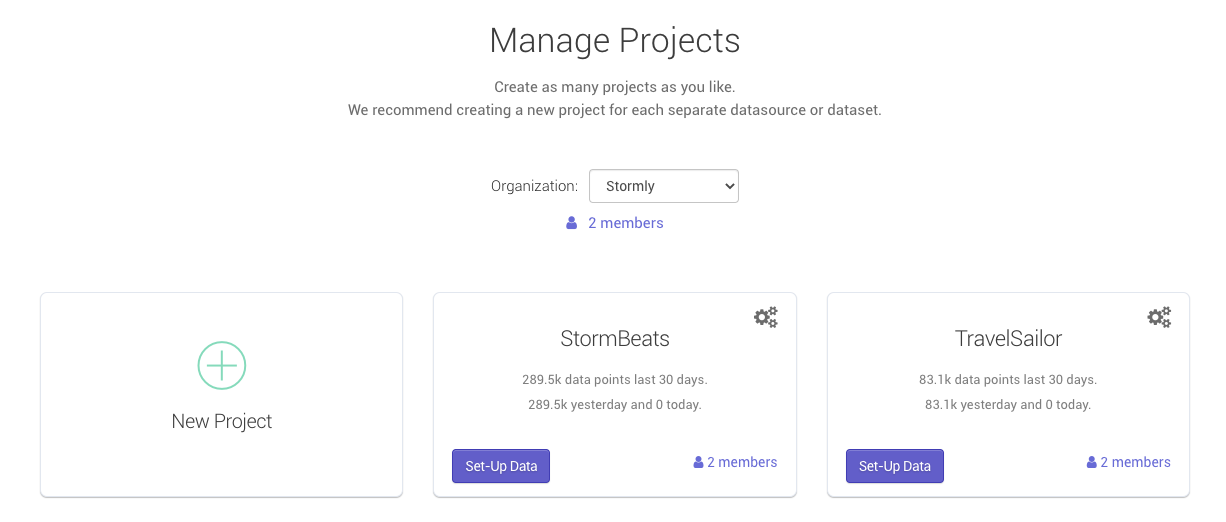
Go to the projects page inside of the Stormly application and click Set-Up Data as shown below:
-
Under "Use tracking code from:" pick "Segment.com", then copy the API key as shown below:
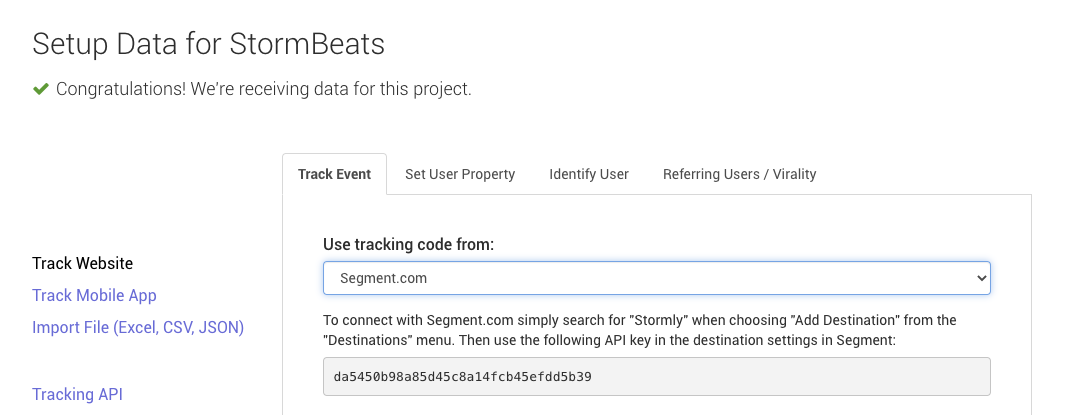
- Copy the API Key. You will need it in the next step.


Note: Tracked data becomes available in Stormly within seconds usually, but new projects become "active" only once at least 50 unique users are tracked.
Step 2 — Wix Code Setup
First login to your Wix account, and visit the settings page as shown in the image below. Then click Custom code in the advanced section:

Once you're in the code editor, click Add code under the "Head" section.
Note: If you already have existing custom code in the "Head" section, use the "+ Add Custom Code option" button at the top instead.

In the "Add Custom Code" form, enter the Stormly tracking code below.
Important: Replace YOUR_STORMLY_KEY_HERE with the API KEY from Step 1.
Set the name to "Stormly Tracking" and choose "Load code on each new page", then click Apply.

Copy and paste the tracking code below:
You should see a similar screen as below, which means you're done!
